Best Laptop for Engineering Students in India (2026): CAD, CAE & CFD Software Guide
Which laptop actually runs CATIA, ANSYS, SOLIDWORKS and MATLAB? Mac vs Windows, Parallels performance, student licenses available in 2026, and recommended specs by budget — all backed by official sources.
Best Laptop for Engineering Students in India (2026): CAD, CAE & CFD Software Guide
Buying a laptop for an engineering degree is not like buying one for general use. The moment you are assigned CATIA, ANSYS, SOLIDWORKS, MATLAB or a CFD solver, the machine has to serve the software — and that software has surprisingly strict, officially-published hardware rules. This guide cuts through the noise for mechanical, automotive and aerospace students in India, using only official software-vendor and hardware-manufacturer sources (every external link below is a reference and carries no endorsement).
The short answer: For most Indian engineering students, a Windows laptop with a discrete NVIDIA GPU, 16 GB RAM (32 GB if you do serious CAE/CFD), and an SSD is the safe default. The heaviest tools you will be examined on — CATIA, Siemens NX, ANSYS, Altair HyperWorks, Abaqus, GT-SUITE — are Windows-only (some also Linux) and ship no native macOS build. A MacBook can run lighter tools (MATLAB, Fusion) natively, but it cannot run NVIDIA-CUDA-accelerated solvers at all. Buy for the software you will actually run — not for a workstation GPU you may never need.
Rule #1: the software decides the laptop
Before looking at a single laptop, look at what your syllabus runs. The decisive fact is that the CAD/CAE heavyweights are Windows-first:
- None of CATIA, Siemens NX, ANSYS, SOLIDWORKS, PTC Creo, Altair HyperWorks, Abaqus, GT-SUITE or AVL has a native macOS version. They run on Windows (several also on Linux).
- Every one of them requires a dedicated (discrete) GPU for real work.
- A handful of GPU-accelerated solvers — most importantly ANSYS Fluent's native GPU solver — require an NVIDIA GPU with CUDA. That single requirement has direct buying consequences and rules out Macs for those workflows.
Automotive software — official requirements
| Software | OS (official) | RAM guidance | GPU | macOS native? |
|---|---|---|---|---|
| CATIA (3DEXPERIENCE / V5) | Windows 10/11 | Per certified config | Certified pro GPU + certified driver | No — student edition states it "will not work on a virtual machine and on Mac OS" |
| Siemens NX | Windows 11 (limited Win 10) | Per certified config | Certified NVIDIA RTX / AMD Radeon Pro / Intel | No |
| ANSYS Mechanical / Fluent | Windows 64-bit + Linux | 16 GB+; CFD scales with mesh | Discrete pro/workstation GPU, ≥2 GB VRAM, OpenGL 4.5; Fluent GPU solver = NVIDIA + CUDA | No |
| Altair HyperWorks / HyperMesh | 2026.0 = Windows 11 only + RHEL/Rocky Linux 9.4+ | 16 GB minimum | Dedicated GPU; needs AVX2 CPU | No |
| GT-SUITE / GT-POWER | Windows + Linux | 8 GB min, 16 GB recommended | Dedicated video card recommended | No |
| AVL FIRE M / CRUISE M | Windows / Linux (commercial) | Institutional | Dedicated GPU | No |
| MATLAB / Simulink | Windows, Linux, macOS (Apple Silicon) | 8 GB min, 16 GB recommended | GPU helps; GPU compute needs CUDA NVIDIA | Yes (Apple Silicon) |
ANSYS's own 2026 R1 documentation is explicit: on Windows you need a discrete NVIDIA or AMD Professional/Workstation graphics card with at least 2 GB of video memory and OpenGL 4.5, while its Fluent GPU solver supports NVIDIA GPUs only and the driver must be CUDA-compatible. See ANSYS Platform Support and the Fluent GPU solver hardware notes.
Aerospace software — official requirements
| Software | OS (official) | RAM | GPU notes | macOS native? |
|---|---|---|---|---|
| ANSYS Fluent / CFX | Windows + Linux | 16 GB+; scales with mesh | NVIDIA + CUDA mandatory for GPU solver | No |
| Simcenter STAR-CCM+ | Windows + Linux | Scales with case | GPU-native physics solvers now on Windows (from 2410) | No |
| Abaqus (SIMULIA) | Windows + Linux | Scales with model | Discrete GPU for pre/post | No |
| OpenFOAM | Linux native; Windows via WSL; Mac via Docker | Scales with case | CPU-bound; GPU optional | No (VM/Docker only) |
| XFLR5 (airfoil/wing) | Windows, macOS, Linux (free, GPLv3) | Light | Light | Yes |
| MATLAB | (see above) | Yes |
General CAD/CAE
| Software | OS (official) | RAM | GPU | macOS native? |
|---|---|---|---|---|
| SOLIDWORKS | Windows only (10/11, 64-bit) | 16 GB (32 GB recommended) | Certified cards + SSD recommended | No |
| PTC Creo | Windows + Linux x64 | 16 GB+ | Certified config; NVIDIA for Creo Simulation Live | No |
| Autodesk Fusion | Windows + macOS 11+ (incl. Apple Silicon) | 8 GB min, 16 GB+ recommended | Dedicated GPU recommended | Yes |
| Autodesk Inventor | Windows only | 16 GB+ | Dedicated GPU | No |
The SOLIDWORKS 2026 system requirements confirm Windows 10/11 64-bit, 16 GB RAM (32 GB recommended), certified graphics cards, and that SSD drives are recommended.
The takeaway: of these ~18 tools, only MATLAB, Autodesk Fusion and XFLR5 run natively on macOS. Everything an Indian automotive/aerospace student is most likely to be tested on is Windows-or-Linux. That one fact dominates the decision.Rule #2: prioritise RAM and a discrete NVIDIA GPU
Two specifications matter more than anything else on the spec sheet:
Abhishek landed his dream job at TATA ELXSI
From learning simulations to working at an industry leader
- RAM. 16 GB is the floor recommended across SOLIDWORKS, MATLAB, GT-SUITE and Altair. Step up to 32 GB the moment you run CFD/FEA — meshes are memory-hungry, and ANSYS, Abaqus and STAR-CCM+ scale with case size.
- A discrete NVIDIA GPU. Even an entry GeForce RTX keeps you CUDA-capable, which is the gateway to GPU-accelerated solving (Fluent, MATLAB's Parallel Computing Toolbox). Integrated graphics will technically launch CAD but struggle with assemblies and aren't on most certified-card lists.
A fast NVMe SSD is the third non-negotiable — MathWorks and SOLIDWORKS both recommend SSDs, and load/save times on large models are painful without one.
Rule #3: student licenses are cheap — and mostly Windows-first
The good news for Indian students: most of the essential software is free for students, which makes the "install today" path overwhelmingly Windows.
| Tool | Student offer (June 2026) | Free or paid | OS |
|---|---|---|---|
| ANSYS Student | Free, renewable 12-month Workbench bundle (with size limits) | Free | Windows only |
| SOLIDWORKS for Students | Design Standard for Students — FREE, already live in India ahead of the 1 July 2026 worldwide rollout | Free (India incl.) | Windows |
| CATIA for Students | 3DEXPERIENCE student license ~$60/year | Paid | Windows only (no VM / no Mac) |
| MATLAB Student | Student Suite ~$119/year, or free if your college has a campus licence (use your university email) | Paid / campus-free | Win/Mac/Linux |
| Autodesk Education (Fusion, Inventor, AutoCAD) | Free 1-year, renewable while eligible | Free | Fusion: Win/Mac; Inventor: Win |
| OpenFOAM / XFLR5 | Open-source | Free | OpenFOAM: Linux native; XFLR5: all |
Official education pages: ANSYS Student, SOLIDWORKS for Students and the free SOLIDWORKS Design Standard for Students, CATIA for Students, MATLAB Student Suite, and Autodesk Education (with an India-specific Fusion for Education campaign).
Because the free, install-today options (ANSYS Student, SOLIDWORKS-for-Students, Autodesk) are all Windows-first, an Indian student optimising for cost-of-entry should lean Windows.

Harshal
Fiat Chrysler

Abhishek
TATA ELXSI

Srinithin
Xitadel

Ranjith
Core Automotive

Gaurav
Automotive Company
Bino
Design Firm
Aseem
EV Company
Puneet
Automotive Company

Vishal
EV Startup
More Success Stories
Mac vs Windows: the honest verdict
What runs natively on macOS: MATLAB/Simulink (Apple-Silicon-native since R2023b), Autodesk Fusion, and XFLR5. That is essentially the entire macOS-native list among serious engineering tools. What does not: CATIA, Siemens NX, ANSYS, SOLIDWORKS, PTC Creo, Altair, Abaqus, GT-SUITE, AVL, STAR-CCM+. OpenFOAM's native home is Linux. Apple Silicon notes: MATLAB now ships native Apple-Silicon builds, and per MathWorks, R2025b is the final release that supports Intel Macs — R2026a onward is Apple-Silicon-only on Mac. So a new Mac for MATLAB should be M-series. The CUDA problem — the decisive technical point. Modern Macs use Apple GPUs, not NVIDIA, and macOS has had no CUDA support for years. ANSYS Fluent's GPU solver and MATLAB's GPU computing both require CUDA-capable NVIDIA hardware. A Mac therefore cannot run those accelerated solvers at all — not even in a virtual machine, because there is no NVIDIA GPU to pass through. For anyone heading into GPU-accelerated CFD/FEA, this is the single strongest argument for Windows + NVIDIA.Parallels on a Mac: a real fallback, with real limits
If you already own a Mac, Parallels Desktop is the officially sanctioned way to run Windows engineering software — and notably, SOLIDWORKS 2026 lists Parallels Desktop as a supported hypervisor (while *Boot Camp is not supported, and a GPU is required in a virtual environment).
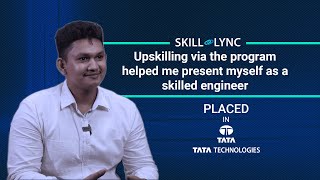
Srinithin now works at Xitadel as Design Engineer
Mechanical engineering graduate turned automotive designer
Recommended configurations (3 tiers)
Spec targets are tied to what each tier can realistically run. We deliberately do not quote India prices — configurations, GST and sales move them constantly, and no official source gives a stable figure.
Tier 1 — Entry / "CAD + coursework" (1st–2nd year)
- CPU: modern 8-core H-series (Intel Core Ultra / Core i5–i7, or AMD Ryzen 7) with AVX2 (required by Altair, recommended by MATLAB).
- RAM: 16 GB.
- GPU: entry discrete NVIDIA GeForce RTX (keeps you CUDA-capable).
- Storage: ≥512 GB NVMe SSD.
- Runs: SOLIDWORKS, Fusion, Inventor, Creo, MATLAB/Simulink, XFLR5, small ANSYS/Abaqus student cases, OpenFOAM via WSL.
Tier 2 — Mid / "CAE-ready" (3rd–4th year, simulation electives)
- CPU: Core Ultra 9 / Ryzen 9 H/HX class.
- RAM: 32 GB (CFD/FEA meshes are memory-hungry).
- GPU: NVIDIA GeForce RTX with ≥8 GB VRAM, or an entry NVIDIA RTX professional (Ada) GPU — ≥8 GB VRAM matters for larger models and the Fluent GPU-solver path.
- Storage: 1 TB NVMe SSD.
- Runs: mid-size ANSYS Fluent/Mechanical, Abaqus, STAR-CCM+, HyperWorks, GT-SUITE student work.
Tier 3 — Performance / "mobile workstation" (heavy CFD/FEA, large assemblies, thesis)
- CPU: top H/HX or workstation-class.
- RAM: 64 GB (check ECC on true workstations).
- GPU: NVIDIA RTX professional (Ada/Blackwell) laptop GPU — these carry ISV certifications formally tested against ANSYS/SOLIDWORKS/CATIA/NX/Creo, plus enterprise drivers for stability. 12–16 GB VRAM tiers exist.
- Storage: 1–2 TB NVMe SSD.
- Runs: large solves, big CATIA/NX assemblies, GPU-accelerated Fluent.
When to step up to a workstation
Consider an ISV-certified mobile workstation (or a desktop) when you routinely run large CFD/FEA solves or large CAD assemblies, need ECC memory and 64–128 GB ceilings, or need a certified NVIDIA RTX professional GPU for the Fluent GPU solver. Official references: Dell Precision, Lenovo ThinkPad P-series, and HP ZBook — HP also publishes an India MCAD ISV certification list. If you mostly work on campus, a desktop tower workstation gives more performance per rupee and better thermals than any laptop — worth flagging for thesis-stage students.
India 2026: practical guidance
- Software cost is the good news. ANSYS Student, Autodesk Education and SOLIDWORKS Design Standard for Students are free, and SOLIDWORKS-for-students is already available in India ahead of its 1 July 2026 worldwide launch. The main paid tools are CATIA-for-Students (~$60/yr) and MATLAB Student (~$119/yr, or free via a campus licence).
- Because the free options are Windows-first, lean Windows unless your workload is dominated by MATLAB/Fusion and you accept the Parallels limitations for the occasional Windows-only tool.
- Don't over-buy on day one. Start at the tier your current syllabus needs; a Tier-1 RTX laptop comfortably carries most students through second year, and you'll know far more about your specialisation before a workstation makes sense.
Sources
All links are official software-vendor or hardware-manufacturer pages, provided for reference only (no endorsement):
- ANSYS: Platform Support · ANSYS Student · Fluent GPU solver notes
- Dassault Systèmes: SOLIDWORKS System Requirements · SOLIDWORKS for Students · Design Standard for Students (free) · CATIA for Students · Dassault hardware & software certification · Abaqus/SIMULIA systems info
- Siemens: NX buyer's guide · Simcenter STAR-CCM+ · STAR-CCM+ 2410 GPU release
- Altair: HyperWorks platform support
- OpenFOAM: System requirements · OpenFOAM on Windows
- GT-SUITE: Supported platforms & hardware
- AVL: FIRE M
- XFLR5: Project page (GPLv3)
- MathWorks: MATLAB system requirements · MATLAB on Apple Silicon · GPU computing requirements · MATLAB Student Suite
- Autodesk: Education software · Fusion for Education (India)
- Microsoft (Windows on ARM): x86 emulation · Windows on Arm overview
- Parallels: Parallels Desktop · Microsoft-authorised Windows 11 ARM · Apple Silicon graphics limits
- NVIDIA: RTX professional ISV certifications
- OEM workstations: Dell Precision · Lenovo ThinkPad P-series · HP ZBook · HP India MCAD ISV
3,000+ Engineers Placed in Top Companies
Join the ranks of successful engineers at Bosch, Tata, L&T, and 500+ hiring partners.