Is SOLIDWORKS Free for Students? Free Design Standard, $60 Premium and Other Routes (2026)
Since July 2026 the desktop SOLIDWORKS Design Standard for Students is free; simulation, rendering and CAM need the USD 60/year Design Premium. How Indian students sign up, the free college and team routes, and what your PC needs, checked 17 Nov 2026.
Is SOLIDWORKS free for students?
Yes, the basic desktop version is. SOLIDWORKS Design Standard for Students is free for any enrolled student, India included, and covers 3D part, assembly and drawing work on a Windows PC. Simulation, flow, rendering and CAM come in Design Premium for Students at USD 60 a year. Your college licence or a student team sponsorship can also give you SOLIDWORKS free.
All terms below were checked on Dassault Systèmes' SOLIDWORKS pages on 17 November 2026. The free Design Standard offer launched worldwide in July 2026, so many older articles still say SOLIDWORKS always costs money for students.
What are the SOLIDWORKS student options?
The SOLIDWORKS for Students page (updated 14 Oct 2026) lists three packages:
| Package | Price (USA list) | What you get | Runs on |
|---|---|---|---|
| Design Standard for Students | Free | 3D CAD (parts, assemblies, drawings), local storage, learning content | Windows PC, installed |
| Design Premium for Students | USD 60/year | Everything above + simulation (structure, flow, plastics), photorealistic rendering, 2.5 and 3-axis CAM, free CSWA and CSWP certification exams ("$198 value") | Windows PC, installed |
| xDesign for Students | USD 60/year | Browser-based SOLIDWORKS | Chromebook, Mac, tablet, Windows |
Prices are the USA list price; SOLIDWORKS says local pricing is shown in the cart, so Indian students see their own price at checkout.
How do you get SOLIDWORKS free as an Indian student?
- Open the Design Standard for Students sign-up form. India is in the country list.
- Fill in your details. You qualify if you are "currently enrolled in a formal educational institution at the secondary or post-secondary level". You must be 18+, or 13-17 with a parent involved.
- Follow the emailed link to download, then install on a Windows 11 PC.
Two more routes are free if they apply to you:
Gaurav Jadhav is now a CAE Engineer
Practical projects and mock interviews made the difference
- Your college's licence (Student Access). If your college holds a SOLIDWORKS institution licence, you "may qualify for... a full license on your own device, at no extra cost". Ask your CAD lab in-charge.
- Student team sponsorship. SOLIDWORKS says it "is FREE for Student teams". Formula Student, SAE BAJA, robotics and rocketry teams can apply for desktop or cloud licences. The applicant must be 18 or older.
Free Design Standard vs USD 60 Design Premium: which do you need?
For CAD alone, Design Standard is enough. Sketching, part features, assemblies and 2D drawings are what first- and second-year design courses and most mini projects need.
Pay for Design Premium when you need analysis. If your project needs a stress check, a flow study, a rendered image for a report or toolpaths for a CNC machine, Premium adds those. It also includes the CSWA and CSWP certification exams, which you can list on your CV. Buy it for the year you need it, not on day one.
Can you use the free student version for commercial work?
No. The sign-up terms say the software is "provided solely for educational use", with "certain features" that make it "unsuitable for commercial or research purposes". Coursework, self-learning and student projects are fine. Freelance design work or company work during an internship is not; the company must provide a commercial licence.
If you design and sell your own products, SOLIDWORKS has a separate Makers licence: USD 48 a year (a promotional USD 24/year offer was shown on 17 Nov 2026) for personal use, while sales stay under USD 2,000 a year. Files made with it are digitally watermarked. In India, Makers subscriptions do not renew automatically.

Harshal
Fiat Chrysler

Abhishek
TATA ELXSI

Srinithin
Xitadel

Ranjith
Core Automotive

Gaurav
Automotive Company
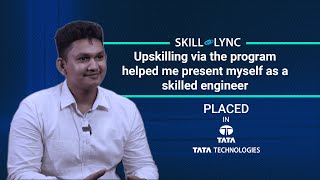
Bino
Design Firm

Aseem
EV Company
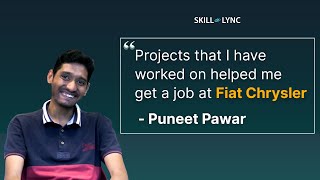
Puneet
Automotive Company

Vishal
EV Startup
More Success Stories
What are the SOLIDWORKS 2026 system requirements?
| Requirement | SOLIDWORKS 2026 (official) |
|---|---|
| Operating system | Windows 11, 64-bit. Windows 10 support ended with SOLIDWORKS 2025 SP5. Home editions are not supported |
| RAM | 16 GB (32 GB recommended) |
| Processor | x86-64 (Intel 64 or AMD64) |
| Graphics | Certified cards and drivers |
| Storage | SSD recommended |
Can SOLIDWORKS run on a Mac? Not natively. The 2026 requirements list Parallels Desktop on Mac as a supported hypervisor, while Boot Camp is not supported. Parallels on Apple silicon has its own graphics limits; our laptop guide for engineering students explains what works on a Mac and what doesn't. The xDesign browser package is the other route for Mac users.
3,000+ engineers placed at Mahindra, Bosch, TATA ELXSI
Including Continental, Capgemini, Ola Electric & 500+ more companies
A practical note: many budget laptops ship with Windows 11 Home, which SOLIDWORKS does not support. Check the edition before you buy, or plan to upgrade to Pro.
How does SOLIDWORKS compare with CATIA and Onshape for students?
| Tool | Student cost (17 Nov 2026) | Runs on | Typical use |
|---|---|---|---|
| SOLIDWORKS Design Standard | Free | Windows 11 | Machine design, SMEs, product design |
| CATIA for Students | USD 60/year | Windows 10/11 | Automotive and aerospace OEMs |
| Onshape Education | Free | Browser | Classrooms, collaborative design |
Onshape's education plan is "FREE for education users", though rendering is not included. If you are aiming at automotive OEMs, read is CATIA free for students? as well: most Indian automotive design jobs ask for CATIA.
Are there free SOLIDWORKS tutorials?
Yes. A free MySolidWorks account gives "over 600 professional training videos", and Dassault offers free SIMULIA Learning Editions (Abaqus, CST Studio Suite) for simulation. Skill-Lync's free SOLIDWORKS lessons are listed below.
How to learn SOLIDWORKS for a design job
Recruiters test design intent, not button clicks: fully constrained sketches, a sensible feature tree, assemblies with correct mates, drawings with proper GD&T, and a part that can actually be made. Skill-Lync's SOLIDWORKS program takes you through modelling, assemblies, motion and flow studies on real products, with reviewers checking each project.
Sources
Official SOLIDWORKS / Dassault Systèmes and Onshape pages, checked 17 November 2026:
3,000+ engineers placed at top companies in 2024
Mahindra, Bosch, TATA ELXSI, Capgemini and more
- SOLIDWORKS for Students (updated 14 Oct 2026)
- Design Standard for Students sign-up and terms
- Launch post: free Design Standard for Students (5 Jul 2026)
- Student team sponsorship
- SOLIDWORKS for Makers · Makers store FAQ
- SOLIDWORKS system requirements
- Onshape education plans
Last updated: 17 November 2026. Prices are USA list prices; your local price appears in the SOLIDWORKS cart.
Learn it with Skill-Lync
The free licence gets SOLIDWORKS on your PC. This Skill-Lync program builds on it with part, surface and assembly modelling, motion studies, structural analysis and SOLIDWORKS Flow Simulation on real products, with every project reviewed.
PG Program in SOLIDWORKS Design and Analysis →Free video lessons from Skill-Lync (no payment):
Frequently Asked Questions
Is SOLIDWORKS free for students in India?
Yes. SOLIDWORKS Design Standard for Students is free for enrolled students, and India is in the sign-up country list (17 Nov 2026). It runs on Windows only.
Does the free SOLIDWORKS student version include Simulation?
No. Simulation (structure, flow, plastics), rendering and CAM are in Design Premium for Students, USD 60 a year at the USA list price.
Can I run SOLIDWORKS on a Mac?
Not natively. SOLIDWORKS 2026 lists Parallels Desktop on Mac as a supported hypervisor; Boot Camp is not supported. xDesign for Students runs in a browser on a Mac.
Does SOLIDWORKS 2026 work on Windows 10?
No. SOLIDWORKS 2026 needs 64-bit Windows 11; Windows 10 support ended with SOLIDWORKS 2025 SP5. Windows Home editions are not supported.
Can I use SOLIDWORKS Student for freelance work?
No. The student licence is for educational use only. For selling your own products under USD 2,000 a year there is the Makers licence (USD 48 a year).
3,000+ Engineers Placed in Top Companies
Join the ranks of successful engineers at Bosch, Tata, L&T, and 500+ hiring partners.
Related guides
- Is CATIA Free for Students? CATIA Student Price, Licence and Free Options (2026)
- Is ANSYS Free for Students? Ansys Student 2026 R1 Limits, Download and Install
- Is MATLAB Free for Students? Campus Licence, MATLAB Online and Student Price (2026)
- Best Laptop for Engineering Students in India (2026): CAD, CAE & CFD Software Guide
- What Laptop Should I Buy for SOLIDWORKS? (2026): Certified Graphics, RAM and the Windows 11 Home Trap