Laptop for Civil Engineering Students (2026): Specs for AutoCAD, Revit, STAAD.Pro and ETABS
What laptop runs AutoCAD, Revit, Civil 3D, STAAD.Pro, ETABS, SAP2000 and Tekla? Official RAM and GPU requirements side by side, which tools work on a Mac, which are free for students, and 3 spec tiers, checked 18 Nov 2026.
What laptop does a civil engineering student need?
A Windows laptop with 16 GB RAM, an SSD and a discrete NVIDIA GPU with at least 4 GB of video memory. That clears the official minimums of every common civil tool. Revit and ETABS are the heaviest. Both list 16 GB as their minimum. For third-year BIM and building-analysis work, buy 32 GB RAM and 8 GB of video memory.
Every number below comes from the software makers' own system-requirement pages, checked on 18 November 2026. We cover the tools a civil degree in India actually uses: AutoCAD, Revit, Civil 3D, STAAD.Pro, ETABS, SAP2000, Tekla Structures and QGIS.
This guide is a spoke of our main laptop guide for engineering students, which covers the mechanical tools (CATIA, ANSYS, SOLIDWORKS, MATLAB).
What are the official system requirements of civil engineering software?
| Software | OS | RAM (official) | Graphics (official) | Disk |
|---|---|---|---|---|
| AutoCAD 2026 | Windows 10/11 64-bit; separate AutoCAD for Mac | 8 GB basic, 32 GB recommended | 2 GB, DirectX 11 basic; 8 GB, DirectX 12 recommended | 10 GB, SSD suggested |
| Civil 3D 2026 | Windows 10 (17763+) / 11 64-bit | 8 GB basic, 32 GB recommended | 2 GB basic; 8 GB recommended | 20 GB, SSD suggested |
| Revit 2026 | Windows 10 (1809+) / 11 64-bit | 16 GB minimum, 32 GB "value", 64 GB "performance" | 4 GB minimum, 6 GB value, 8 GB performance | 30 GB + 100 GB free for temp files |
| ETABS | Windows 10/11 64-bit | 16 GB minimum, 64 GB recommended | 1 GB minimum; NVIDIA discrete with 4 GB recommended | 6 GB + 500 GB PCIe SSD recommended |
| SAP2000 | Windows 10/11 64-bit | 16 GB minimum, 64 GB recommended | DirectX 11 discrete NVIDIA card for DirectX mode | 6 GB |
| STAAD.Pro (v2024 help) | Windows 10/11 64-bit | 1 GB minimum, 2 GB recommended (4 GB for Advanced) | OpenGL card, 256 MB+ video RAM | 500 MB |
| Tekla Structures 2026 | Windows 11 64-bit | 16+ GB (tier 1), 32+ GB (tier 2) | NVIDIA GeForce RTX 4060/4070 class (tier 1) | — |
| QGIS | Windows 64-bit, macOS, Linux | Light | Light | — |
Sources: Autodesk system-requirement articles for AutoCAD 2026, Revit 2026 and Civil 3D 2026; CSI pages for ETABS and SAP2000; Bentley's STAAD.Pro 2024 help; Trimble's Tekla Structures 2026 hardware recommendations; QGIS downloads.
Read the STAAD.Pro row carefully. Bentley's published minimum is tiny, but nobody runs STAAD.Pro alone. Revit and ETABS on the same laptop set the real floor.
Ranjith switched from IT to core automotive industry
His inspiring career transition story with video
How much RAM does a civil engineering student need?
16 GB is the minimum, 32 GB is the safe buy. Revit, ETABS and SAP2000 all state 16 GB as their minimum. AutoCAD and Civil 3D recommend 32 GB. CSI recommends 64 GB for ETABS and SAP2000, but that is for large professional building models, not coursework.
Here is why RAM matters more than the processor for civil work. A Revit model and an ETABS analysis both hold the whole building in memory. Think of RAM as your desk. A bigger desk lets you keep the drawings open while you work. A small desk means the laptop keeps putting files away and taking them out again, and everything slows to a crawl.
Practical rule: buy 16 GB only if the RAM can be upgraded later. Many thin laptops have memory soldered to the board. Then 32 GB on day one is the only way to get it.

Harshal
Fiat Chrysler

Abhishek
TATA ELXSI

Srinithin
Xitadel

Ranjith
Core Automotive

Gaurav
Automotive Company
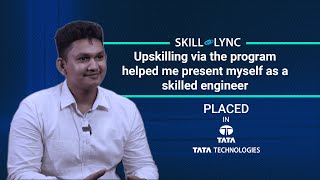
Bino
Design Firm

Aseem
EV Company
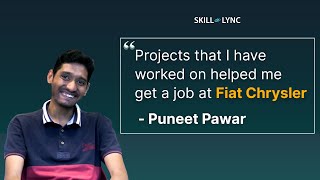
Puneet
Automotive Company

Vishal
EV Startup
More Success Stories
Do you need a graphics card for civil engineering?
Yes, a discrete one, ideally NVIDIA. Revit wants a card with at least 4 GB of video memory and recommends 6 to 8 GB. ETABS's DirectX graphics mode asks for a discrete NVIDIA card with 4 GB. Trimble's Tekla recommendations name the GeForce RTX 4060/4070 class and are based on NVIDIA testing.
Integrated graphics will open AutoCAD for 2D drafting. They fall short of Revit's 4 GB guidance once a model has a few floors, and 3D views of a large ETABS model get sluggish. A mid-range NVIDIA GeForce RTX laptop GPU with 8 GB of video memory covers every tool on this list.
Gaurav Jadhav is now a CAE Engineer
Practical projects and mock interviews made the difference
You do not need a workstation card (NVIDIA RTX professional) as a student. None of the civil tools above require one.
Can you use a MacBook for civil engineering?
Only partly. AutoCAD has a native Mac version and QGIS runs on macOS. Revit, Civil 3D, STAAD.Pro, ETABS, SAP2000 and Tekla Structures have no Mac version; their makers list Windows only (Tekla 2026: Windows 11 only).
Autodesk does publish a "Parallels Desktop for Mac" configuration for Revit 2026. It asks for 16 GB RAM and 4 GB of video memory dedicated to the Windows virtual machine, and 100 GB of free disk. It also says hardware acceleration is "not recommended" in Parallels. Expect Revit on a Mac to work for small models and to struggle on big ones.
For ETABS, SAP2000, STAAD.Pro and Tekla there is no official Mac route at all. If you already own a Mac, use your college lab for these. If you are buying new for a civil degree, buy Windows.
Which civil engineering software is free for students?
| Tool | Student access (checked 18 Nov 2026) |
|---|---|
| AutoCAD, Revit, Civil 3D | Autodesk Education plan: free one-year access for qualifying students, renewable while you remain eligible. Learning use only. |
| Tekla Structures | Tekla Student Subscription: free, valid 365 days from activation, educational use only, output is watermarked (Tekla Campus). |
| STAAD.Pro and other Bentley tools | Bentley Education gives students free software for educational, non-commercial use. Check your entitlement after signing up. |
| ETABS, SAP2000 | No free student licence found on CSI's site. Most students use them in the college lab. |
| QGIS | Free and open source (GPL), "free of charge if downloaded from QGIS.org". |
The useful consequence: you can install AutoCAD, Revit, Civil 3D, Tekla and QGIS on your own laptop for free. That only works if the laptop runs Windows and meets the Revit floor.
3,000+ engineers placed at Mahindra, Bosch, TATA ELXSI
Including Continental, Capgemini, Ola Electric & 500+ more companies
Recommended laptop specs for civil engineering students
We deliberately do not quote rupee prices. Configurations, GST and festival sales move them every few weeks, and no official source gives a stable figure. Buy against these specs instead.
Tier 1: 1st and 2nd year (AutoCAD, STAAD.Pro, QGIS, small Revit models)
- CPU: a current 6- to 8-core Intel Core i5/Core Ultra 5 or AMD Ryzen 5/7 (H-series if possible).
- RAM: 16 GB, upgradable.
- GPU: discrete NVIDIA GeForce RTX with at least 4 GB (Revit's minimum).
- Storage: 512 GB NVMe SSD. AutoCAD and Civil 3D suggest an SSD; Revit alone needs 30 GB plus temp space.
- OS: Windows 11.
Tier 2: 3rd and 4th year (Revit BIM projects, ETABS, SAP2000, Tekla)
- CPU: Intel Core i7/Core Ultra 7 or AMD Ryzen 7, H-series.
- RAM: 32 GB (Revit's "value" tier, AutoCAD's and Civil 3D's recommendation).
- GPU: NVIDIA GeForce RTX 4060-class with 8 GB (Revit "performance", AutoCAD recommended, Tekla tier 1).
- Storage: 1 TB NVMe SSD. CSI recommends a 500 GB or larger PCIe SSD for ETABS.
Tier 3: thesis and large building models
- RAM: 64 GB (CSI's recommendation for ETABS and SAP2000; Revit "performance").
- GPU: 8 GB or more of video memory.
- Consider a desktop if you work at a fixed desk. It gives more performance per rupee and runs cooler than any laptop.
What to check before you pay
- Your syllabus. If your college teaches ETABS and Revit, plan for Tier 2 by third year.
- Upgradable RAM. Search the exact model number with "RAM slots". Soldered 16 GB cannot grow.
- A real NVIDIA GPU. "Graphics: shared" on a spec sheet means integrated graphics.
- Windows 11. Tekla Structures 2026 supports Windows 11 only.
- Two-monitor output. Trimble recommends two-monitor support for Tekla; a second screen also helps for drawings and models side by side.
Where Skill-Lync fits
The laptop runs the software. Learning to design a building with it is the harder part. Skill-Lync's civil programs teach ETABS, STAAD.Pro, Revit and Tekla on real building projects, and you can watch free lessons first (links below).
Last updated: 18 November 2026. System requirements and licence terms change with each release. Confirm on the vendor's page before you buy.
Learn it with Skill-Lync
The laptop runs ETABS and Revit; this Skill-Lync program teaches the building design work they are used for: modelling, loads, analysis and design of high-rise structures and their foundations, with reviewed projects.
PG Program in High-Rise Building Design and Analysis →Frequently Asked Questions
How much RAM does a civil engineering student need?
At least 16 GB, the minimum Revit, ETABS and SAP2000 state. 32 GB is the safe buy: it is Revit's value tier and AutoCAD's and Civil 3D's recommendation.
Can I use a MacBook for civil engineering?
Partly. AutoCAD has a Mac version and QGIS runs on macOS, but Revit, Civil 3D, STAAD.Pro, ETABS, SAP2000 and Tekla are Windows-only. Autodesk lists a Parallels configuration for Revit with hardware acceleration not recommended.
Do civil engineering students need a graphics card?
Yes. Revit wants at least 4 GB of video memory (6 to 8 GB recommended) and ETABS recommends a discrete NVIDIA card with 4 GB for DirectX graphics. A workstation card is not required.
Is Revit free for students?
Yes, through the Autodesk Education plan: free one-year access for qualifying students, renewable while eligible, for learning use only. AutoCAD and Civil 3D are covered the same way.
Is ETABS free for students?
We found no free student licence on CSI's site (18 Nov 2026). Most students use ETABS and SAP2000 in the college lab.

3,000+ Engineers Placed in Top Companies
Join the ranks of successful engineers at Bosch, Tata, L&T, and 500+ hiring partners.
Related guides
- Best Laptop for Engineering Students in India (2026): CAD, CAE & CFD Software Guide
- Laptop for Electrical and Electronics Engineering Students (2026): Specs for MATLAB, Altium, LTspice and Ansys Maxwell
- Best Laptop for CATIA and ANSYS (2026): Official Requirements and the Specs That Matter
- What Laptop Should I Buy for SOLIDWORKS? (2026): Certified Graphics, RAM and the Windows 11 Home Trap