Form Controls
What are Form Controls?
Form controls define the allowable deviation in the shape of a single feature, independent of any other features. They are the only GD&T controls that do not reference datums.There are four form controls:
| Symbol | Name | Controls |
|---|---|---|
| ─ | Straightness | How straight a line or axis is |
| ▭ | Flatness | How flat a surface is |
| ○ | Circularity | How round a cross-section is |
| ⌭ | Cylindricity | Combined roundness + straightness |
1. Straightness (─)
Definition: Controls how straight a line element or axis must be.Surface Straightness
Applied to a surface, each line element must lie within two parallel lines:
FCF: ┌───┬──────┐
     │ ─ │ 0.1  │
     └───┴──────┘

         ════════════ 0.1 tolerance zone
    ~~~~~~~~~~~~      (actual surface)
         ════════════
Axis Straightness
Applied to a feature of size (with ⌀), the axis must lie within a cylindrical zone:
Sponsored
Master CATIA, NX, LS-DYNA, HyperMesh, ANSYS
The exact tools used by Mahindra, Bosch & TATA ELXSI
See All Tools
FCF: ┌───┬────────┐
     │ ─ │ ⌀ 0.1  │
     └───┴────────┘
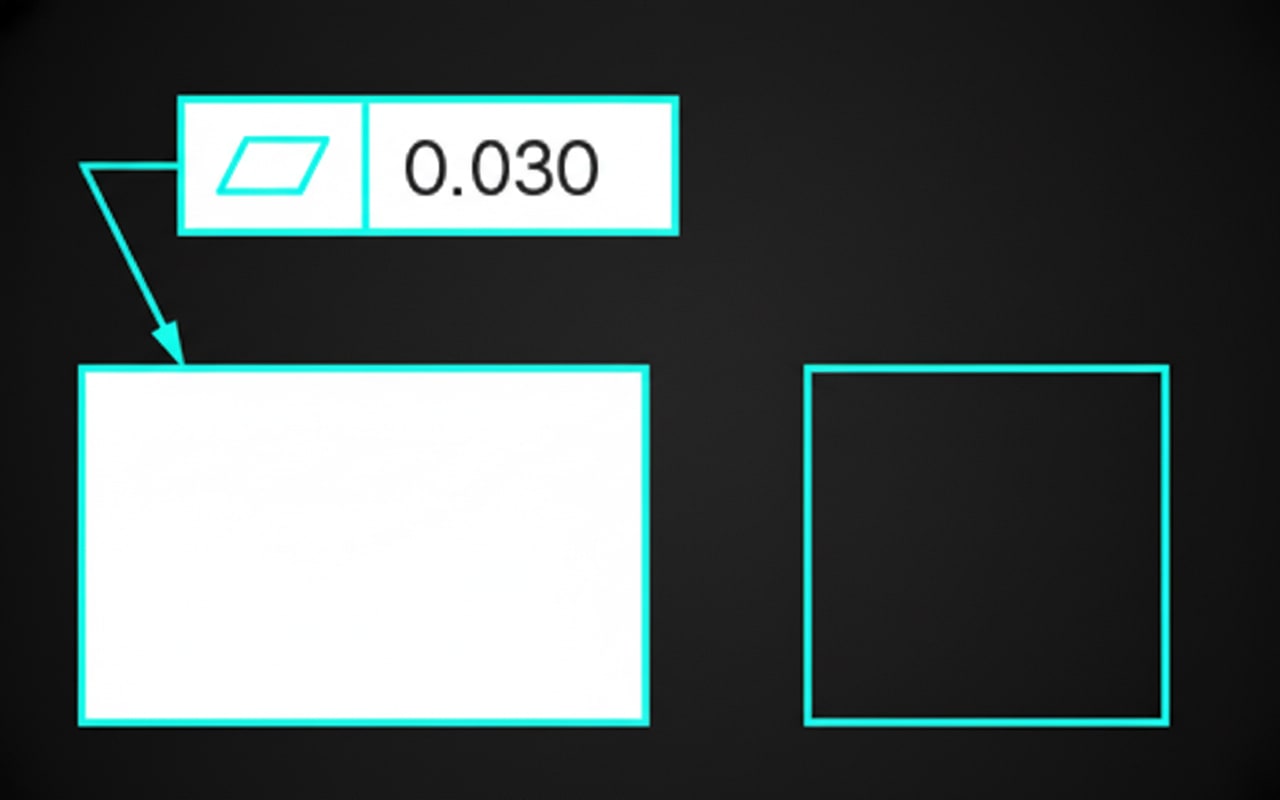
2. Flatness (▭)
Definition: Controls how flat a surface must be.The entire surface must lie between two parallel planes:
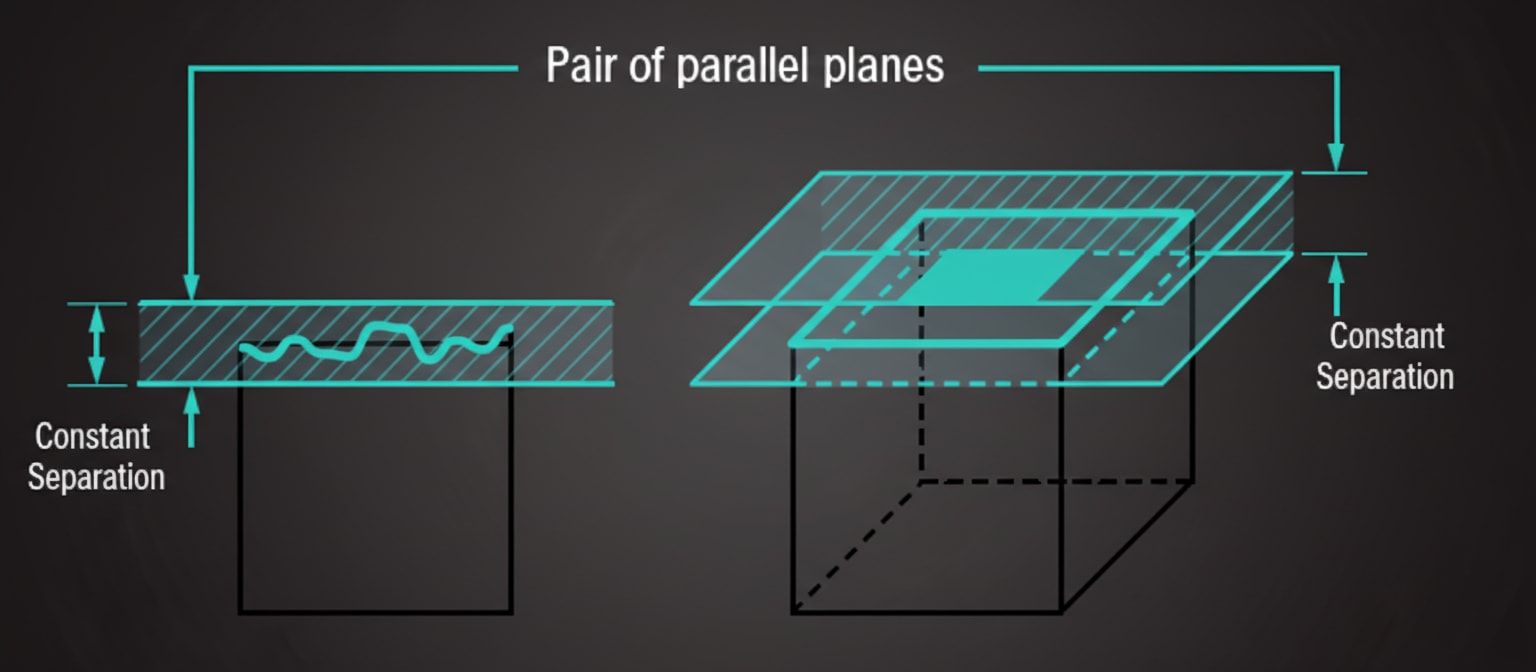
FCF: ┌───┬──────┐
│ ▭ │ 0.05 │
└───┴──────┘
═══════════════ 0.05 tolerance zone
~~~~~~~~~~~~~~~ (actual surface)
═══════════════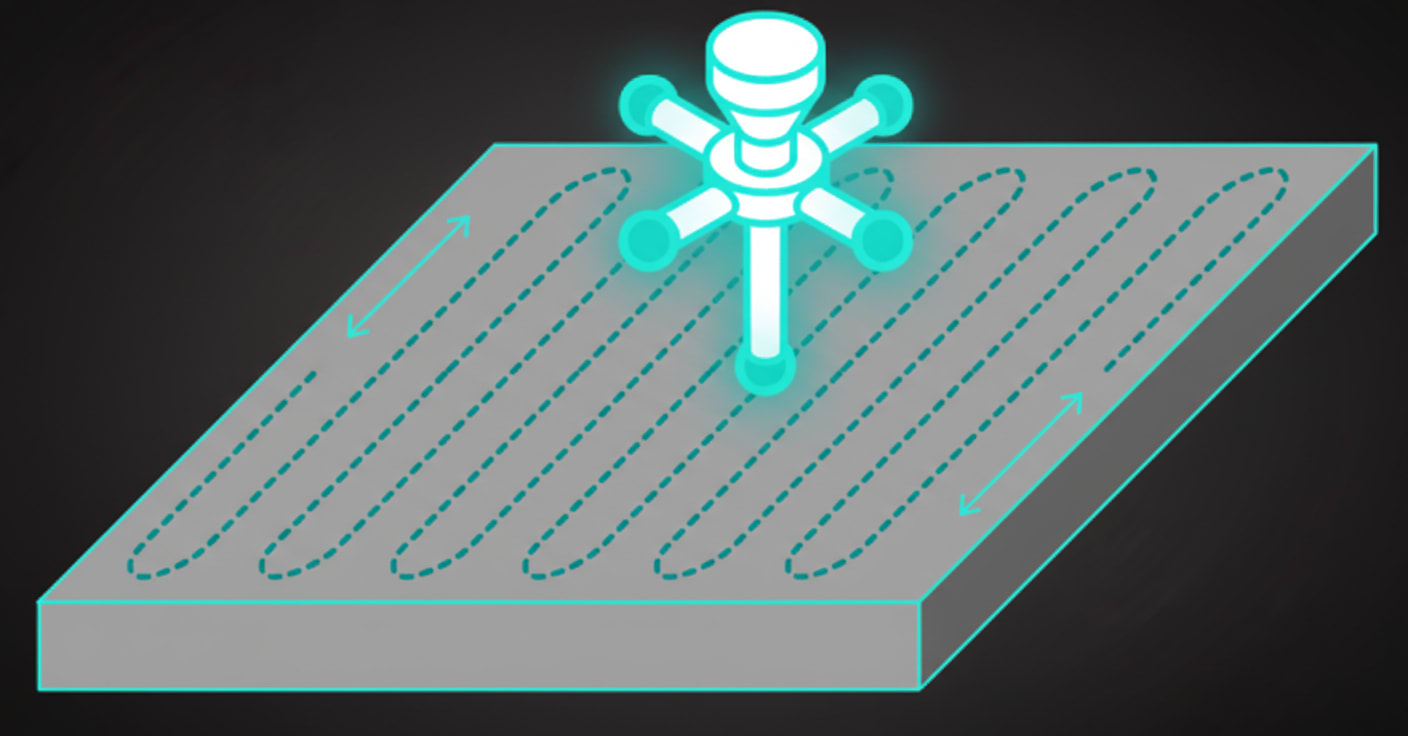 Use Case: Critical sealing surfaces, mating faces, reference surfaces.
Note: Flatness controls the entire surface at once, while straightness controls individual line elements.