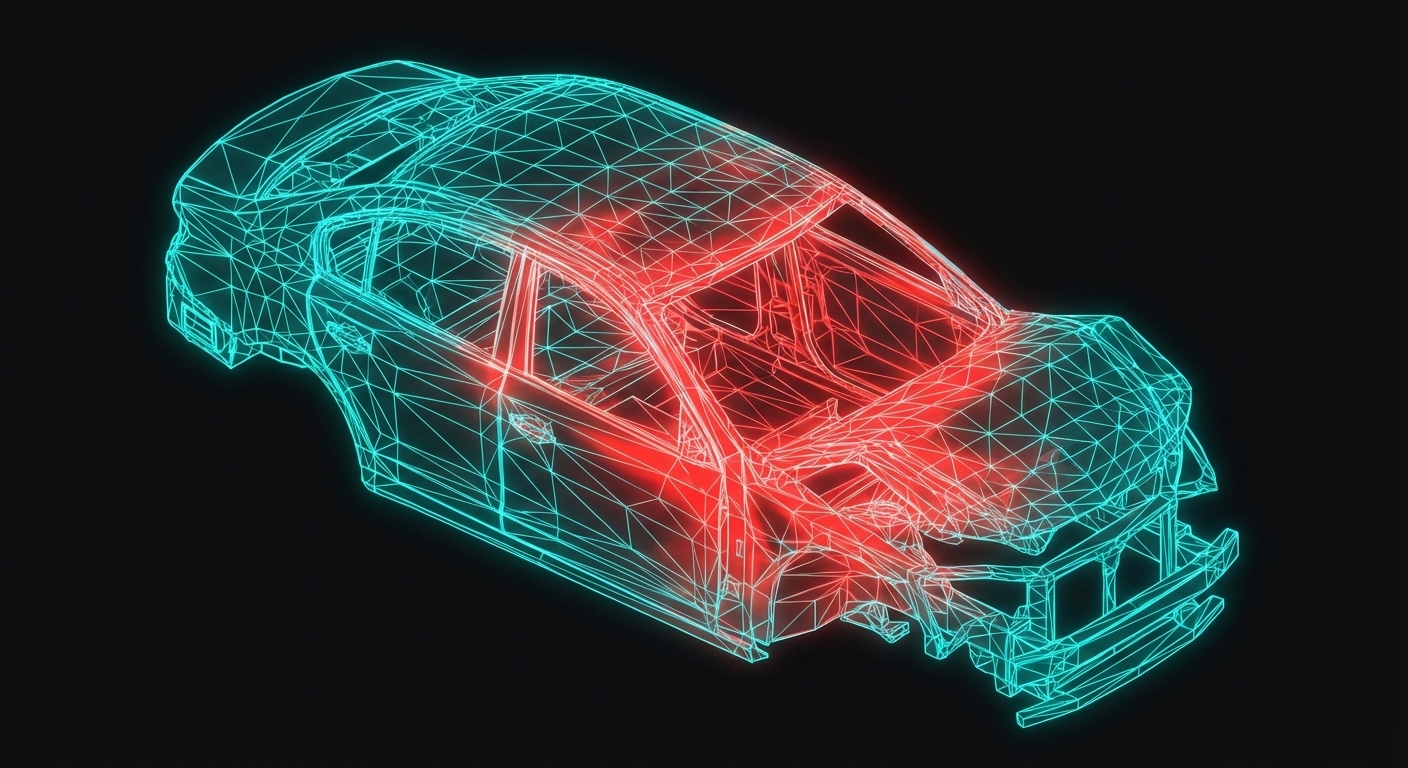
Mathematical Animations with Manim
Manim (Mathematical Animation Engine) creates smooth, professional animations perfect for educational content. It's the library behind 3Blue1Brown's famous videos.
Installation
# Install ManimCE (Community Edition)
pip install manim

# Verify installation
manim --version
On macOS, you may also need:
brew install ffmpeg pango
Example Output
Here's what you'll create in this lesson — a rubber seal deformation animation:
Sponsored
Get an IIT Jammu PG certification
Recognized by Mahindra, Bosch, TATA ELXSI & 500+ companies
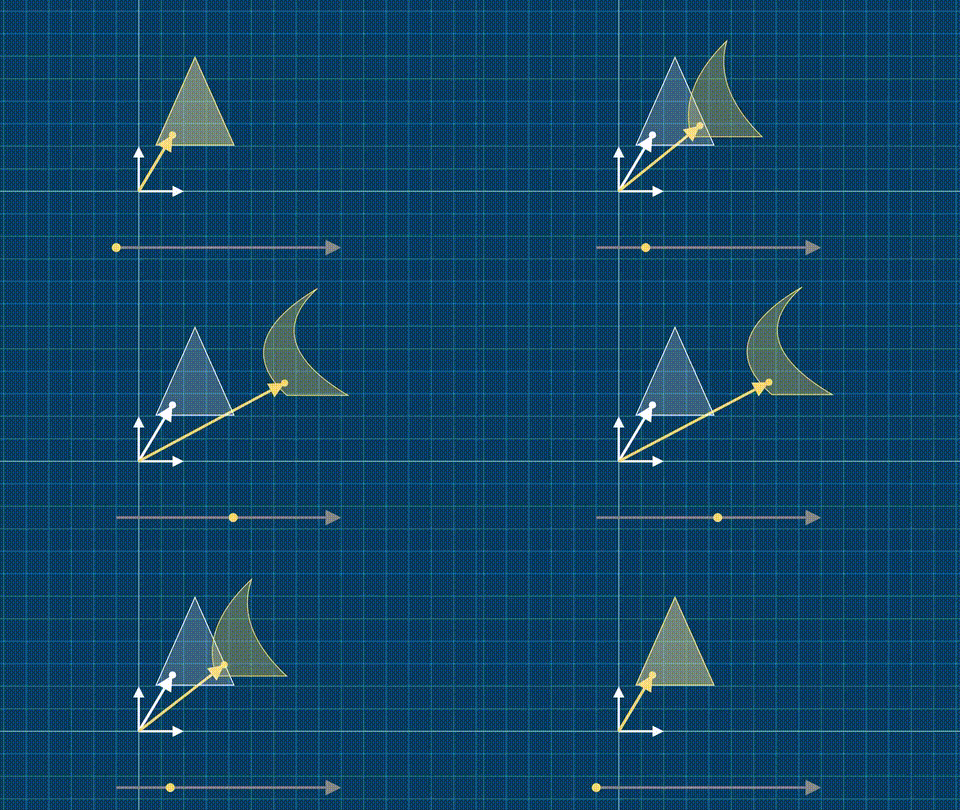
The animation shows:
- Reference configuration (white shadow)
- Current configuration (yellow, deforming)
- Material point tracking with position vectors
Basic Structure
from manim import *

class MyScene(Scene):
    def construct(self):
        # Create objects
        circle = Circle()

        # Animate
        self.play(Create(circle))
        self.wait(1)
Run with:
manim -pql myscript.py MyScene    # Low quality preview
manim -pqh myscript.py MyScene    # High quality render
ValueTracker for Time-Dependent Animation
The key to deformation animations is ValueTracker:
Sponsored
70% of India's auto industry trusts Skill-Lync
For training their engineers in CAD, CAE & simulation
from manim import *

class Kinematics2D(MovingCameraScene):
    def construct(self):
        # Time parameter
        time = ValueTracker(0.00)

        # Reference configuration (static shadow)
        reference = Triangle().move_to(UP)
        shadow = reference.copy().set_opacity(0.2)

        # Deformation mapping
        def phi(X, t):
            x0 = (1 - 0.25*t)*X[0] + t*(X[1]-2)**2 + 2.5*t
            x1 = (1 + 0.25*t)*X[1] + 0.25*t
            return (x0, x1, X[2])

        # Current configuration (updates with time)
        current = always_redraw(
            lambda: reference.copy().apply_function(
                lambda X: phi(X, time.get_value())
            )
        )

        self.add(shadow, current)

        # Animate deformation
        self.play(time.animate.set_value(1.0), rate_func=linear, run_time=2)
        self.play(time.animate.set_value(0.0), rate_func=linear, run_time=2)
Key Manim Concepts
1. Scenes
Every animation is a Scene subclass with a construct() method.
2. Mobjects
All visual elements (shapes, text, equations) are "Mathematical objects".
circle = Circle()
square = Square()
text = Text("Hello")
math = MathTex(r"\sigma = F \cdot S \cdot F^T")
3. Animations
Transform mobjects over time:
Sponsored
3,000+ engineers placed at top companies in 2024
Mahindra, Bosch, TATA ELXSI, Capgemini and more
self.play(Create(circle))          # Draw the shape
self.play(FadeIn(square))          # Fade in
self.play(Transform(circle, square))  # Morph
self.play(circle.animate.shift(RIGHT))  # Move
4. always_redraw()
Create mobjects that update automatically:
tracker = ValueTracker(0)
line = always_redraw(
    lambda: Line(ORIGIN, RIGHT * tracker.get_value())
)
self.play(tracker.animate.set_value(3))  # Line grows
Full Example: Deformation Gradient Visualization
from manim import *
import numpy as np

class DeformationGradient(MovingCameraScene):
    def construct(self):
        self.camera.frame.scale(1.5)
        self.camera.background_color = "#0A3D62"

        # Grid background
        grid = NumberPlane().set_opacity(0.5)
        self.add(grid)

        # Time tracker
        time = ValueTracker(0)

        # Deformation mapping
        def phi(X, t):
            return (
                (1 + 0.5*t)*X[0],
                (1 - 0.2*t)*X[1] + 0.3*t*X[0]**2,
                X[2]
            )

        # Reference circle
        ref_circle = Circle(radius=2, color=WHITE, fill_opacity=0.3)
        ref_shadow = ref_circle.copy().set_opacity(0.1)

        # Current configuration
        current = always_redraw(
            lambda: ref_circle.copy()
                .set_color(YELLOW)
                .apply_function(lambda X: phi(X, time.get_value()))
        )

        self.add(ref_shadow, current)

        # Deformation gradient display
        def get_F(t):
            # F computed at origin for simplicity
            return np.array([
                [1 + 0.5*t, 0],
                [0, 1 - 0.2*t]
            ])

        F_text = always_redraw(lambda:
            MathTex(
                r"F = " + self.matrix_to_tex(get_F(time.get_value()))
            ).to_corner(UL).scale(0.8)
        )
        self.add(F_text)

        # Animate
        self.play(time.animate.set_value(1), run_time=3)
        self.wait(0.5)
        self.play(time.animate.set_value(0), run_time=3)

    def matrix_to_tex(self, M):
        return r"\begin{bmatrix} " + \
               f"{M[0,0]:.2f} & {M[0,1]:.2f} \\\\ " + \
               f"{M[1,0]:.2f} & {M[1,1]:.2f}" + \
               r" \end{bmatrix}"
Exercises
Exercise 1: Add Material Point Tracking
Add a dot that follows a specific material point through deformation, with position vectors X and x displayed.
Exercise 2: Show det(F)
Compute and display the Jacobian determinant, coloring the region based on volume change.
Exercise 3: Polar Decomposition
Visualize the polar decomposition F = R·U by showing rotation and stretch separately.
Render Quality Options
manim -pql  # Low quality (480p), fast preview
manim -pqm  # Medium quality (720p)
manim -pqh  # High quality (1080p)
manim -pqk  # 4K quality
Key Takeaways
- Manim creates smooth, mathematical animations
ValueTracker enables time-dependent parametersalways_redraw() creates auto-updating objects- Render with
manim -pql script.py SceneName
- Output is professional-quality video
What's Next
In the final tutorial lesson, we'll learn Blender visualization — creating photorealistic renders of FEA results.